
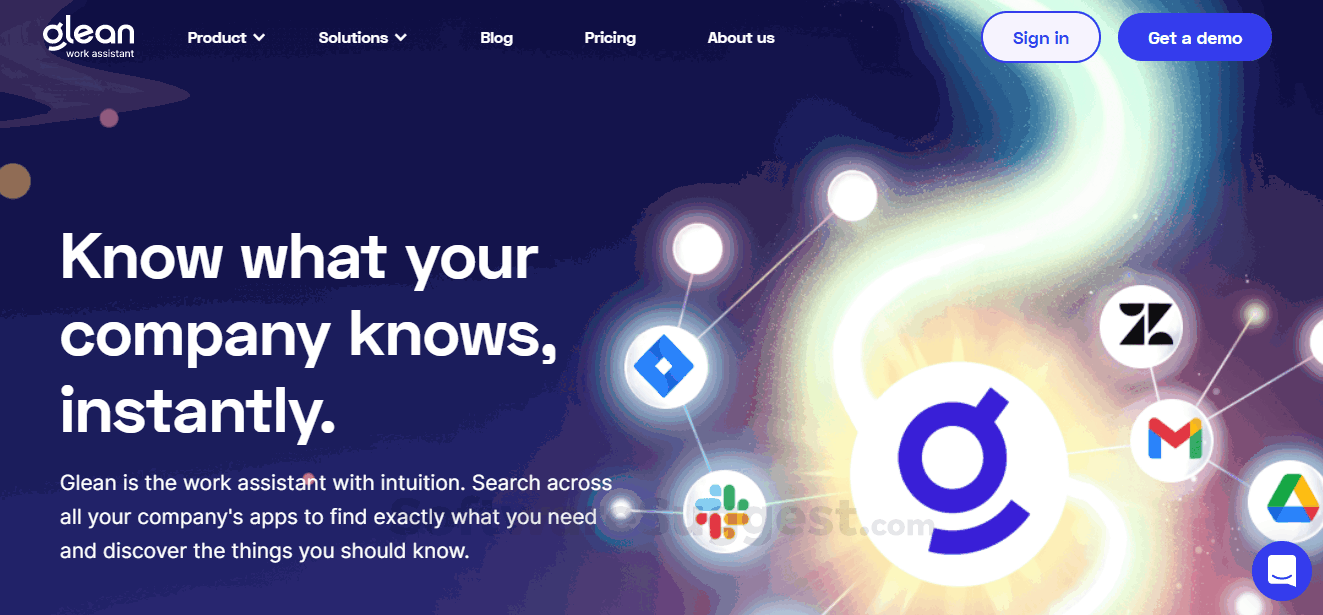
Finding the right information at work shouldn’t feel like searching for a needle in a haystack. Yet many businesses struggle with scattered documents, disconnected apps, and employees wasting valuable hours looking for answers instead of getting work done. As organizations adopt dozens of cloud applications, knowledge becomes fragmented, reducing productivity and slowing decision-making.
This is where Glean Technologies stands out. Instead of forcing employees to search across multiple platforms one by one, Glean brings company knowledge together into one intelligent search experience powered by artificial intelligence. Whether your files live in Google Drive, Slack, Microsoft 365, Jira, Confluence, Salesforce, or hundreds of other business applications, Glean helps employees find exactly what they need in seconds.
For business owners, marketers, IT teams, and growing organizations, this can mean faster collaboration, improved efficiency, and better use of existing knowledge.
In this guide, you’ll learn:
- What Glean Technologies is
- How its AI-powered enterprise search works
- Its most important features
- Real-world business use cases
- Best practices for maximizing results
- Whether it’s the right solution for your organization
What Is Glean Technologies?
An Overview of Glean Technologies
Glean Technologies is an AI-powered workplace search and knowledge management platform that helps organizations discover information stored across their digital workspace. Rather than replacing existing software, Glean connects to the tools businesses already use and creates a unified search experience.
The platform uses modern artificial intelligence, natural language processing (NLP), and machine learning to understand both search intent and company context. This allows employees to ask questions naturally instead of remembering exact file names or locations.
For example, instead of searching:
Marketing Strategy Q4 Final v7.pdf
An employee can simply ask:
“What was our Q4 marketing strategy?”
Glean identifies the most relevant documents, conversations, presentations, dashboards, and knowledge pages while respecting company security permissions.
Unlike traditional enterprise search tools, Glean doesn’t just match keywords—it understands meaning, relationships, and organizational context.
Why Enterprise Search Matters Today
Modern companies rely on dozens—or even hundreds—of SaaS applications.
Common examples include:
- Google Workspace
- Microsoft 365
- Slack
- Zoom
- Jira
- Confluence
- Salesforce
- GitHub
- Notion
- Dropbox
- Box
- Asana
Each application stores valuable information.
The challenge is that employees often don’t remember where that information lives.
This creates several business problems:
| Business Challenge | Business Impact |
|---|---|
| Information scattered across apps | Slower work |
| Duplicate documents | Confusion |
| Repeated questions | Lower productivity |
| Knowledge silos | Poor collaboration |
| Long onboarding time | Increased costs |
According to research from workplace productivity studies, knowledge workers spend a significant portion of their workweek searching for information instead of completing meaningful tasks. Intelligent enterprise search aims to reduce this hidden productivity cost.
How Glean Technologies Works
Connecting All Workplace Knowledge
Instead of storing another copy of company data, Glean securely connects to existing business applications.
It indexes information from connected platforms while respecting existing user permissions.
If an employee cannot access a document inside Google Drive or Microsoft SharePoint, they also won’t see it inside Glean.
This permission-aware architecture is one of the reasons many enterprises consider Glean for large-scale deployments.
The platform continuously updates its search index as files change, conversations happen, or new documents are created.
AI Understands Context
Traditional search engines mainly rely on keywords.
Glean goes much further.
Its AI analyzes:
- Document meaning
- Employee roles
- Team relationships
- Frequently accessed content
- Search history
- Organization structure
- Workspace activity
As a result, search becomes more personalized.
Two employees searching the same phrase may receive different results because their responsibilities and permissions differ.
Natural Language Search
Employees no longer need complicated search operators.
Instead, they can ask questions naturally.
Examples include:
- “Where is our latest pricing strategy?”
- “Show engineering onboarding documents.”
- “Who manages enterprise partnerships?”
- “Find the latest cybersecurity policy.”
- “What did finance approve last month?”
The AI understands intent and returns highly relevant answers.
Key Features of Glean Technologies
1. AI-Powered Enterprise Search
The platform searches across hundreds of workplace applications from one interface.
Rather than opening multiple tabs, employees search once and receive unified results.
Benefits include:
- Faster information discovery
- Reduced context switching
- Improved productivity
- Better employee experience
2. Knowledge Discovery
One major advantage of Glean is helping employees discover information they didn’t know existed.
For example:
A sales representative searching for customer pricing may also discover:
- Product documentation
- Internal FAQs
- Competitive research
- Recent Slack discussions
- Executive presentations
This creates a richer understanding of business knowledge.
3. Personalized Search Results
Every employee sees results based on:
- Department
- Team membership
- Permissions
- Recent activity
- Frequently used applications
Personalization reduces irrelevant results while increasing search accuracy.
4. AI Answers
Instead of showing only documents, Glean can generate concise answers from trusted company knowledge.
This reduces the time spent reading multiple documents to find one specific fact.
Examples include:
- HR policies
- Vacation procedures
- IT support documentation
- Product specifications
- Sales playbooks
Because answers come from company-approved knowledge, employees spend less time verifying information.
5. Secure Permission Management
Security is a critical requirement for enterprise software.
Glean honors existing permissions across connected applications.
This means:
- HR documents remain private.
- Executive reports stay restricted.
- Financial records remain protected.
- Confidential projects remain visible only to authorized teams.
Organizations do not need to recreate permission structures.
6. Workplace Knowledge Graph
One of Glean’s most advanced capabilities is its understanding of workplace relationships.
The platform recognizes connections between:
- Employees
- Teams
- Projects
- Documents
- Meetings
- Conversations
Instead of treating files as isolated assets, Glean builds an intelligent knowledge network.
This improves search quality over time.
7. AI Assistant for Employees
Beyond search, Glean offers AI-powered workplace assistance.
Employees can ask questions like:
- Summarize this project.
- Explain this document.
- Draft a meeting recap.
- Find previous customer discussions.
- Identify related documents.
This turns enterprise search into an interactive AI workspace rather than a simple search box.
8. Hundreds of SaaS Integrations
Glean integrates with many popular workplace platforms, including:
| Category | Example Integrations |
|---|---|
| Productivity | Google Workspace, Microsoft 365 |
| Collaboration | Slack, Teams, Zoom |
| Project Management | Jira, Asana, Trello |
| Documentation | Confluence, Notion |
| CRM | Salesforce, HubSpot |
| Cloud Storage | Dropbox, Box |
This broad integration ecosystem allows businesses to centralize knowledge without changing existing workflows.
Benefits of Using Glean Technologies
Organizations adopt Glean because it delivers measurable improvements across multiple areas of the business.
Faster Information Retrieval
Employees spend less time searching and more time completing meaningful work.
Improved Employee Productivity
Teams gain quicker access to documents, conversations, and institutional knowledge.
Better Collaboration
Knowledge becomes easier to discover across departments, reducing duplicate work and improving teamwork.
Simplified Employee Onboarding
New hires can find training materials, policies, project documentation, and team resources without constantly asking coworkers for help.
If you’re interested in understanding the broader role of AI in modern workplaces, our guide on Artificial Intelligence for Beginners provides a helpful foundation:
https://thinkingerahub.info/beginners-guide-to-artificial-intelligence/
Similarly, businesses exploring AI adoption can benefit from learning about practical implementation strategies in Best AI Tools for Business:
https://thinkingerahub.info/best-ai-tools-for-business/
These resources complement Glean by explaining how AI tools can improve productivity across organizations.
Real-World Use Cases of Glean Technologies
Glean Technologies serves organizations of all sizes, from fast-growing startups to global enterprises. Its AI-powered search and knowledge management capabilities solve common workplace challenges across different departments.
Marketing Teams
Marketing teams often work with large volumes of content spread across multiple platforms.
With Glean, marketers can quickly locate:
- Brand guidelines
- Campaign reports
- SEO documentation
- Editorial calendars
- Product messaging
- Customer research
Instead of asking coworkers where files are stored, team members can retrieve information instantly.
Sales Teams
Sales professionals need fast access to customer information and sales resources.
Glean helps them find:
- Sales playbooks
- Pricing documents
- Product updates
- Proposal templates
- Competitive intelligence
- Previous customer conversations
This reduces preparation time before meetings and improves response speed.
Customer Support
Support teams benefit from having one place to search for:
- Troubleshooting guides
- Product documentation
- Internal FAQs
- Previous support cases
- Engineering updates
Faster answers often translate into better customer satisfaction.
Human Resources
HR departments manage sensitive information across multiple systems.
Glean simplifies access to:
- Employee handbooks
- Company policies
- Benefits information
- Training materials
- Onboarding documentation
Because the platform respects existing permissions, confidential documents remain protected.
Engineering Teams
Developers frequently search for technical documentation.
Glean makes it easier to locate:
- API documentation
- Design documents
- GitHub repositories
- Jira tickets
- Architecture diagrams
- Engineering standards
This reduces duplicate work and improves collaboration.
Step-by-Step: Getting Started with Glean Technologies
Implementing Glean is typically straightforward because it integrates with your existing software stack.
Step 1: Identify Your Knowledge Sources
Create a list of the business applications your organization already uses.
Examples include:
- Google Workspace
- Microsoft 365
- Slack
- Salesforce
- Jira
- Confluence
- Notion
- Dropbox
Knowing where your information lives helps prioritize integrations.
Step 2: Connect Your Applications
Glean securely connects to supported SaaS platforms using authorized integrations.
The platform indexes content while preserving existing user permissions.
No major changes to employee workflows are required.
Step 3: Configure Access Controls
Review user permissions before rolling out the platform.
Ensure employees can access only the information they are already authorized to view.
This maintains compliance and protects sensitive business data.
Step 4: Encourage Natural Language Search
Train employees to search using everyday questions instead of exact filenames.
For example:
Instead of:
Product_Final_V12.pdf
Search:
“Latest product launch presentation”
Natural language queries typically produce better results.
Step 5: Monitor Search Behavior
Review analytics to understand:
- Frequently searched topics
- Missing documentation
- Popular resources
- Search success rates
These insights can help improve your organization’s knowledge base over time.
Best Practices for Maximizing Glean Technologies
Organizations achieve the best results when they combine AI search with strong knowledge management practices.
Keep Documentation Updated
Outdated documentation leads to outdated AI answers.
Schedule regular reviews for:
- Policies
- Procedures
- Product documentation
- Sales materials
Use Consistent Naming
Clear document titles improve discoverability.
For example:
Better:
- Q3 Sales Strategy 2026
Instead of:
- Final_v9_New_Copy2
Organize Content Logically
Group documents by:
- Department
- Project
- Product
- Team
- Customer
Better organization improves AI search quality.
Remove Duplicate Content
Duplicate files confuse employees and reduce confidence in search results.
Archive old versions whenever possible.
Encourage Knowledge Sharing
The more valuable knowledge employees contribute, the stronger the organization’s knowledge base becomes.
Create a culture where documentation is part of everyday work.
Common Mistakes to Avoid
Many organizations invest in enterprise search but fail to realize its full value because of poor knowledge management.
Avoid these common mistakes.
Ignoring Permission Reviews
Improper permissions can expose confidential information or prevent employees from accessing resources they need.
Always verify access policies before deployment.
Keeping Outdated Documents
Old policies and obsolete presentations create confusion.
Regularly archive or remove outdated content.
Expecting AI to Fix Poor Documentation
AI cannot replace missing or inaccurate knowledge.
Well-written documentation produces better AI-generated answers.
Skipping Employee Training
Employees should understand:
- How to search effectively
- How AI answers are generated
- How to contribute useful knowledge
Even a short training session can significantly improve adoption.
Glean Technologies vs Competitors
The enterprise AI search market has grown rapidly, with several platforms offering similar capabilities. Each solution has its own strengths.
| Feature | Glean Technologies | Microsoft Copilot | Google Cloud Search | Elastic Enterprise Search |
|---|---|---|---|---|
| AI-powered search | Yes | Yes | Yes | Yes |
| Natural language queries | Yes | Yes | Limited | Yes |
| Cross-platform integrations | Extensive | Best within Microsoft ecosystem | Best within Google ecosystem | Extensive |
| Personalized search | Yes | Yes | Yes | Limited |
| Enterprise security | Excellent | Excellent | Excellent | Excellent |
| AI-generated answers | Yes | Yes | Limited | Limited |
| Best For | Multi-platform organizations | Microsoft-first companies | Google Workspace users | Technical teams |
Key takeaway: Glean is especially attractive for organizations that use a mix of workplace applications instead of relying on a single software ecosystem.
Pros and Cons
Pros
- AI-powered enterprise search with excellent relevance
- Supports hundreds of workplace integrations
- Strong security and permission controls
- Natural language search improves usability
- Personalized search results
- AI-generated workplace answers
- Helps reduce time spent searching for information
- Improves onboarding and collaboration
Cons
- Designed primarily for medium and large organizations
- Pricing is customized rather than publicly listed
- Requires well-maintained documentation for best results
- Initial implementation may require IT involvement
- Some advanced capabilities may have a learning curve
Pricing and Cost Considerations
Unlike many SaaS products, Glean does not publish fixed pricing on its website. Instead, pricing is generally customized based on factors such as:
- Company size
- Number of users
- Required integrations
- Deployment complexity
- Enterprise support needs
This means organizations typically request a demo and receive a tailored quote.
Is There a Free Plan?
At the time of writing, Glean does not advertise a permanent free plan for businesses. Prospective customers usually begin with a product demonstration or speak with the sales team to discuss requirements.
ROI Considerations
Although enterprise AI platforms represent a significant investment, the return on investment can be substantial when they reduce the time employees spend searching for information.
Potential benefits include:
- Higher employee productivity
- Faster onboarding
- Better collaboration
- Reduced duplicate work
- Improved decision-making
- More efficient customer support
For organizations with hundreds or thousands of employees, even modest time savings can translate into meaningful operational value.
Who Should Use Glean Technologies?
Glean is not intended for every type of user. It delivers the most value in organizations where information is spread across multiple business applications.
Ideal Users
Glean is a strong fit for:
- Medium-sized businesses
- Large enterprises
- Remote and hybrid teams
- IT departments
- Marketing teams
- Sales organizations
- Customer support teams
- HR departments
- Knowledge-intensive businesses
Who May Not Need It
Smaller organizations with only a few employees and limited software tools may not benefit enough to justify an enterprise search platform.
If all company information already resides in a single application, a dedicated enterprise search solution may provide limited additional value.
Actionable Tips Before Choosing Glean
Before investing in any enterprise AI search platform, consider these recommendations.
- Audit your existing knowledge sources.
- Remove outdated or duplicate documents.
- Standardize document naming conventions.
- Review user permissions across all applications.
- Identify departments that spend the most time searching for information.
- Request a personalized product demonstration.
- Compare multiple enterprise search solutions before making a final decision.
Taking these steps will help you evaluate whether Glean aligns with your organization’s goals.
Additional Resources
If you’re beginning your AI journey, these guides from Thinking Era Hub provide useful background knowledge:
- Artificial Intelligence for Beginners
https://thinkingerahub.info/beginners-guide-to-artificial-intelligence/ - Best AI Tools for Business
https://thinkingerahub.info/best-ai-tools-for-business/ - AI News and Trends for Business
https://thinkingerahub.info/ai-news-and-trends-for-business/
For additional research, these authoritative resources are worth exploring:
- Glean Official Website: https://www.glean.com/
- Google AI: https://ai.google/
- OpenAI: https://openai.com/
- HubSpot AI Resources: https://www.hubspot.com/artificial-intelligence
- Ahrefs Blog: https://ahrefs.com/blog/
- Semrush Blog: https://www.semrush.com/blog/
- Search Engine Journal: https://www.searchenginejournal.com/
Final Verdict
Glean Technologies has established itself as one of the leading AI-powered enterprise search platforms by helping organizations unlock the value of their internal knowledge. Rather than replacing existing business software, it connects the tools companies already use and delivers a unified, intelligent search experience.
Its greatest strengths include powerful natural language search, personalized results, strong security controls, and broad integration support. Employees can spend less time hunting for information and more time focusing on meaningful work.
However, Glean is primarily designed for organizations with complex digital workplaces. Smaller businesses with limited software ecosystems may find simpler solutions more appropriate.
For medium and large organizations looking to improve productivity, reduce knowledge silos, and support AI-driven workflows, Glean Technologies is a compelling option that deserves serious consideration.
If your organization struggles with scattered information across multiple workplace applications, consider scheduling a personalized demo with Glean Technologies. Evaluate how AI-powered enterprise search can improve collaboration, accelerate onboarding, and help employees find trusted information faster.
Before making a final decision, compare your current workflows, review your documentation quality, and explore other AI productivity tools to determine which solution best supports your business goals.
Conclusion
As businesses continue adopting more cloud applications, finding information quickly has become increasingly challenging. Glean Technologies addresses this problem by bringing enterprise knowledge together through AI-powered search, personalized recommendations, and secure access controls.
Whether you’re leading a growing company, managing an IT department, or supporting distributed teams, investing in effective knowledge management can significantly improve productivity. By combining quality documentation with intelligent enterprise search, organizations can make better decisions, reduce repetitive work, and unlock the full value of their collective knowledge.
FAQ
1. What is Glean Technologies?
Glean Technologies is an AI-powered enterprise search and workplace knowledge platform that helps employees find information across business applications such as Google Workspace, Slack, Microsoft 365, Salesforce, Jira, and many others.
2. How does Glean Technologies work?
Glean connects securely to existing workplace applications, indexes authorized content, understands natural language queries, and returns personalized search results while respecting user permissions.
3. Is Glean Technologies secure?
Yes. Glean preserves existing access permissions from connected applications, ensuring employees only see information they are already authorized to access.
4. Does Glean use generative AI?
Yes. Glean includes AI capabilities that summarize information, answer workplace questions, and help employees locate relevant knowledge more efficiently.
5. Does Glean Technologies offer a free plan?
Glean does not publicly advertise a permanent free plan. Organizations typically request a product demo and receive customized pricing based on their requirements.
6. Who should use Glean Technologies?
Glean is best suited for medium-sized businesses, enterprises, remote teams, IT departments, sales organizations, marketing teams, HR professionals, and companies that rely on multiple SaaS applications.
7. What are the biggest benefits of Glean Technologies?
The platform helps reduce search time, improves collaboration, accelerates onboarding, supports AI-powered knowledge discovery, and increases overall workplace productivity.
8. Is Glean better than Microsoft Copilot or Google Cloud Search?
It depends on your environment. Glean is particularly well suited for organizations using a wide variety of SaaS applications, while Microsoft Copilot and Google Cloud Search are often stronger choices for businesses heavily invested in their respective ecosystems.