
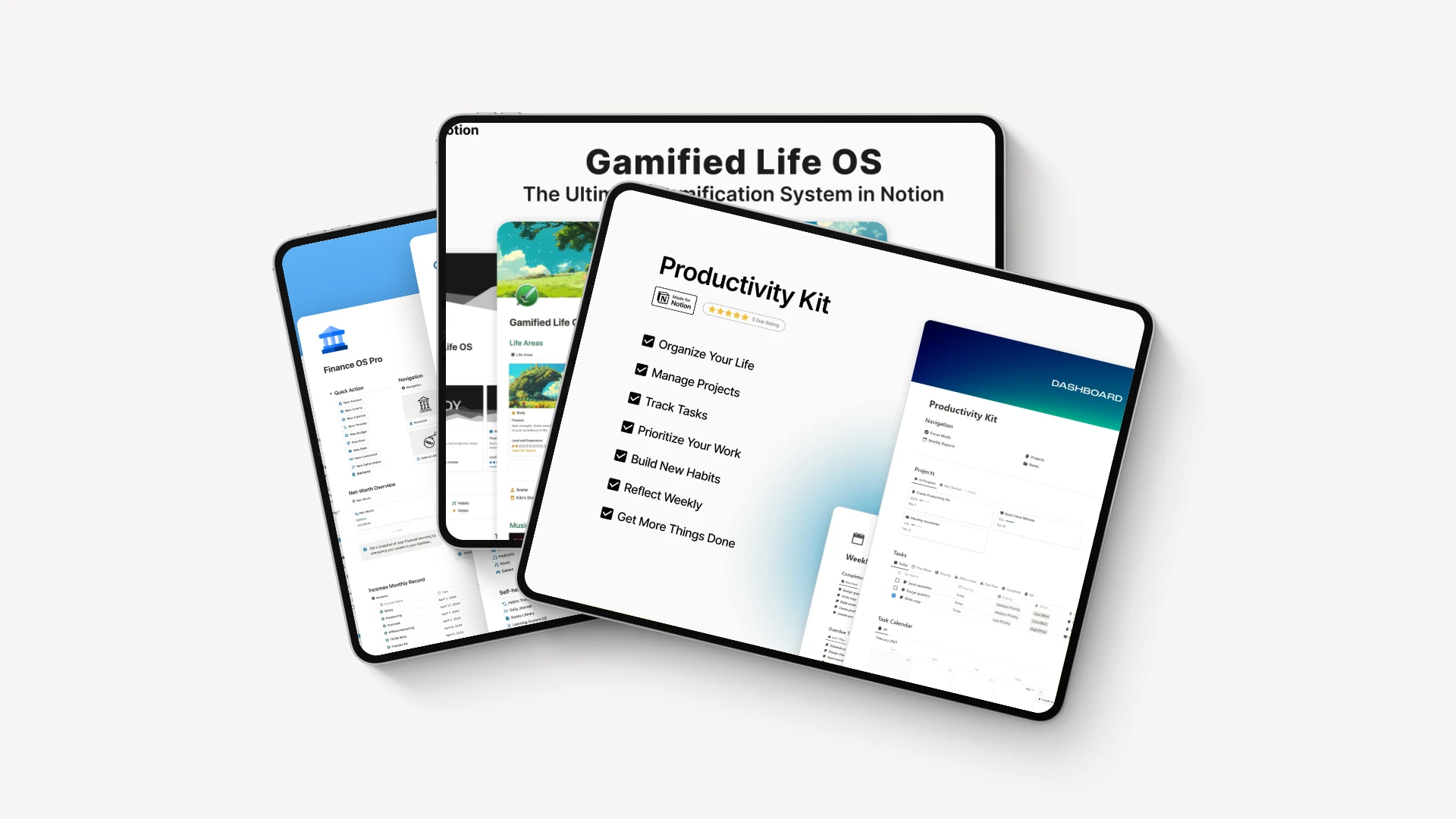
Whether you’re managing projects, tracking goals, or running a business, staying organized can quickly become overwhelming. Many people struggle with scattered notes, missed deadlines, and disconnected tools that reduce productivity instead of improving it.
This is where Notion templates make a difference.
Instead of building dashboards and workflows from scratch, you can use professionally designed templates that help you organize everything in minutes. From content planning and CRM management to habit tracking and business operations, the right Notion template can save hours of work every week.
In this guide, you’ll learn what Notion templates are, how they work, their biggest benefits, how to choose the right one, and the best templates available for different use cases. Whether you’re a beginner, blogger, freelancer, marketer, or small business owner, this guide will help you build a more efficient workflow.
If you’re interested in using AI alongside productivity tools, check out our guide to Best AI Tools for Business:
https://thinkingerahub.info/best-ai-tools-for-business/
You may also find our article on AI Workflow Automation Software helpful for automating repetitive business tasks:
https://thinkingerahub.info/ai-workflow-automation-software/
What Are Notion Templates?
A Notion template is a pre-built workspace that includes pages, databases, layouts, and workflows designed for a specific purpose. Instead of creating everything manually, you simply duplicate the template into your Notion workspace and customize it to fit your needs.
Templates can be used for nearly every aspect of personal and professional life, including:
- Project management
- Content planning
- Business operations
- Customer relationship management (CRM)
- Habit tracking
- Budget management
- Study planning
- Team collaboration
- Knowledge management
- Goal tracking
Both beginners and experienced Notion users benefit from templates because they eliminate repetitive setup work and provide proven organizational systems.
Why Notion Templates Matter
Many productivity tools offer blank workspaces. While flexibility is useful, starting from scratch often leads to inconsistent organization.
Notion templates solve this problem by providing ready-made systems that are easy to customize.
Some key benefits include:
- Faster setup
- Better organization
- Improved productivity
- Consistent workflows
- Easier collaboration
- Reduced manual work
- Professional-looking dashboards
For bloggers and entrepreneurs, templates help standardize daily operations without requiring advanced technical skills.
How Notion Templates Work
Using a Notion template is simple.
Step 1: Choose a Template
Browse templates from:
- The official Notion Template Gallery
- Independent creators
- Productivity communities
- Digital marketplaces
Choose one that matches your goals instead of downloading dozens you’ll never use.
Step 2: Duplicate the Template
Click Duplicate to copy the template into your personal workspace.
No coding or installation is required.
Step 3: Customize Your Workspace
Modify elements such as:
- Colors
- Icons
- Database properties
- Views
- Categories
- Task statuses
- Team permissions
Notion’s flexibility allows nearly every component to be customized.
Step 4: Start Managing Your Workflow
Once customized, your template becomes your daily workspace where you can:
- Track projects
- Store notes
- Assign tasks
- Monitor deadlines
- Organize documents
- Manage clients
Best Notion Templates for Different Needs
1. Project Management Template
Perfect for:
- Teams
- Agencies
- Freelancers
- Startups
Features include:
- Kanban boards
- Calendar view
- Timeline tracking
- Task assignments
- Priority labels
- Progress monitoring
Ideal for managing multiple projects from one dashboard.
2. Content Calendar Template
Content creators and bloggers often struggle with publishing consistently.
A content calendar template helps organize:
- Blog ideas
- Keyword research
- Publishing schedule
- Social media posts
- YouTube videos
- Newsletter planning
If you’re publishing AI-related content, you may also enjoy our Beginner’s Guide to Artificial Intelligence:
https://thinkingerahub.info/beginners-guide-to-artificial-intelligence/
3. CRM Template
Freelancers and business owners can manage:
- Leads
- Customers
- Sales pipeline
- Meeting notes
- Follow-ups
- Client projects
Instead of paying for expensive CRM software, many small businesses successfully manage customer relationships entirely within Notion.
4. Personal Finance Template
Track:
- Monthly expenses
- Savings goals
- Investments
- Bills
- Income
- Budgets
Everything is displayed through easy-to-read dashboards.
5. Habit Tracker Template
Ideal for building consistency.
Track habits like:
- Reading
- Exercise
- Meditation
- Water intake
- Journaling
- Sleep
Progress charts help visualize improvements over time.
6. Student Dashboard
Students can manage:
- Assignments
- Exams
- Lecture notes
- Research
- Deadlines
- Study schedules
Everything stays organized in one place.
7. Business Operating System
Growing businesses often use Notion as an all-in-one workspace.
These templates include:
- Company wiki
- SOP documentation
- Team onboarding
- HR resources
- Meeting notes
- Project tracking
- KPI dashboards
This reduces the need for multiple disconnected tools.
Key Features to Look for in a Notion Template
Not every template offers the same value. Before downloading one, consider these important features.
Clean Dashboard
The best templates provide a simple interface that makes information easy to find.
Avoid cluttered layouts with unnecessary widgets.
Multiple Database Views
Useful views include:
- Table
- Calendar
- Board
- Timeline
- Gallery
- List
Different views support different workflows.
Automation Support
Many templates integrate with automation platforms to reduce repetitive tasks.
Common integrations include:
- Zapier
- Make
- Google Calendar
- Slack
- Google Drive
Automation becomes even more powerful when combined with AI-powered business tools.
Customization
Choose templates that allow you to modify:
- Properties
- Colors
- Workflows
- Statuses
- Categories
- Layouts
Flexible templates continue growing with your needs.
Documentation
Quality templates often include:
- Quick start guides
- Tutorial videos
- FAQs
- Workflow explanations
This reduces the learning curve.
Benefits of Using Notion Templates
Save Hours Every Week
Instead of building dashboards from scratch, templates allow you to start working immediately.
Many professionals save several hours every month simply by using pre-built workflows.
Improve Team Collaboration
Shared workspaces help everyone stay aligned.
Teams can:
- Assign responsibilities
- Share documents
- Monitor deadlines
- Track progress
without switching between multiple applications.
Stay Organized
A centralized workspace keeps information in one location.
This reduces time spent searching for notes, files, and tasks.
Scale Your Business
As your business grows, well-designed templates make it easier to document processes and onboard new team members.
Notion Templates Comparison
| Feature | Free Templates | Premium Templates | Best For |
|---|---|---|---|
| Cost | Free | One-time purchase or subscription | All users |
| Design Quality | Basic | Professional | Businesses and creators |
| Customization | Moderate | Extensive | Advanced users |
| Documentation | Limited | Detailed guides | Beginners |
| Support | Usually unavailable | Creator support | Businesses |
| Updates | Rare | Frequent | Long-term users |
| Advanced Workflows | Limited | Comprehensive | Teams and agencies |
Best Practices for Using Notion Templates
Start Simple
Avoid downloading dozens of templates.
Begin with one template that solves your biggest productivity challenge.
Customize Gradually
Rather than changing everything at once, make small improvements as your workflow evolves.
Remove Unused Sections
Many templates include optional pages or databases. Delete anything you don’t need to keep your workspace clean.
Create a Daily Routine
Use your Notion workspace consistently by reviewing tasks, updating projects, and planning your day. Regular use helps you get the most value from your template.
Pricing and Cost Considerations
One of the biggest advantages of Notion is that you can start using it for free and upgrade only when your needs grow. Whether you’re an individual user, a freelancer, or a large organization, there’s a plan designed for your workflow.
While the free plan is enough for many users, premium plans unlock advanced collaboration, security, automation, and AI features that are valuable for businesses and growing teams.
Notion Pricing Comparison
| Plan | Best For | Key Features |
|---|---|---|
| Free | Personal use, students | Unlimited pages and blocks, basic collaboration, templates |
| Plus | Freelancers and small teams | Unlimited file uploads, extended page history, guest access |
| Business | Growing companies | Advanced permissions, private team spaces, bulk PDF export |
| Enterprise | Large organizations | Enterprise-grade security, advanced compliance, dedicated support |
ROI Considerations
Upgrading to a paid plan can quickly pay for itself if it helps you:
- Save time on repetitive tasks
- Improve team collaboration
- Reduce the need for multiple software subscriptions
- Organize projects more efficiently
- Centralize company knowledge
For bloggers and entrepreneurs, using a premium template alongside Notion’s collaboration features can significantly improve productivity.
To stay informed about the latest AI productivity tools that complement Notion, read our guide on AI company updates:
https://thinkingerahub.info/ai-company-announcements-2026/
Free vs Premium Notion Templates
Thousands of templates are available online, but choosing between free and paid options depends on your goals.
| Feature | Free Templates | Premium Templates |
|---|---|---|
| Price | Free | Paid |
| Dashboard Design | Basic | Highly polished |
| Automation Ready | Limited | Often included |
| Documentation | Minimal | Detailed tutorials |
| Support | Community only | Creator support |
| Business Systems | Basic | Comprehensive |
| Updates | Infrequent | Regular |
If you’re just starting, free templates are usually enough. As your workflow becomes more complex, investing in a premium template can save significant time.
Pros and Cons of Notion Templates
Pros
- Easy to set up
- Suitable for beginners and professionals
- Highly customizable
- Supports personal and business workflows
- Reduces repetitive work
- Centralizes information in one workspace
- Works across desktop and mobile devices
- Large community with thousands of templates
- Integrates with many third-party tools
- Scales with business growth
Cons
- Some advanced templates have a learning curve
- Premium templates can be expensive
- Too many databases may reduce workspace performance
- Customizing large workspaces takes time
- Offline functionality is more limited than some competitors
Who Should Use Notion Templates?
Notion templates are flexible enough to support many different users.
Bloggers
Bloggers can organize:
- Content calendars
- Keyword research
- Publishing schedules
- Affiliate partnerships
- Guest posts
- Editorial workflows
If you’re creating AI-related content, you may also benefit from our article on AI workflow automation:
https://thinkingerahub.info/ai-workflow-automation-software/
Content Creators
Creators can manage:
- Video production
- Podcast planning
- Brand collaborations
- Sponsorship tracking
- Social media campaigns
- Asset libraries
Small Business Owners
Business owners can use Notion for:
- Customer relationship management
- Employee onboarding
- Standard operating procedures (SOPs)
- Team documentation
- Meeting notes
- Business planning
Freelancers
Freelancers often use Notion to organize:
- Clients
- Contracts
- Invoices
- Project timelines
- Deliverables
- Communication logs
Students
Students benefit from templates for:
- Class notes
- Exam preparation
- Assignment tracking
- Research projects
- Reading lists
- Semester planning
Marketing Teams
Marketing teams can coordinate:
- Campaign planning
- SEO projects
- Content workflows
- Performance reporting
- Team collaboration
- Editorial calendars
Who May Not Need Notion Templates?
Although Notion is incredibly versatile, it may not be the best solution for everyone.
You may prefer another tool if you:
- Need highly specialized project management software
- Require advanced spreadsheet calculations
- Work in industries with strict compliance requirements not covered by your current plan
- Prefer a simpler note-taking application with fewer customization options
Common Mistakes to Avoid
Many users fail to get the most out of Notion because they overcomplicate their workspace.
Avoid these common mistakes.
Downloading Too Many Templates
Using multiple templates often creates duplicate databases and unnecessary complexity.
Instead, choose one high-quality template and customize it.
Ignoring Regular Maintenance
Outdated tasks and unused pages make your workspace difficult to navigate.
Review your workspace regularly and archive completed projects.
Overusing Databases
Not everything needs its own database.
Simple pages are often easier to manage than complex relational systems.
Skipping Documentation
If you’re working with a team, document your workflows so everyone understands how to use the workspace.
Not Backing Up Important Data
Export your workspace periodically to protect important information.
Expert Tips for Getting the Most from Notion Templates
Build Around Your Workflow
Customize templates to match how you actually work instead of forcing yourself to follow someone else’s system.
Keep Dashboards Minimal
Only display information you use daily.
A clean dashboard improves focus and reduces distractions.
Use Linked Databases
Linked databases allow you to display the same information in different views without duplicating data.
Take Advantage of AI
Notion AI can help you:
- Summarize meeting notes
- Brainstorm ideas
- Draft blog outlines
- Improve writing
- Organize information faster
If you’re exploring more AI-powered business tools, our guide to the Best AI Tools for Business is a valuable resource:
https://thinkingerahub.info/best-ai-tools-for-business/
Review Your Workspace Monthly
As your projects evolve, your workspace should evolve too.
Schedule a monthly review to remove outdated pages and improve organization.
Recommended Resources
Learning from trusted industry sources can help you build a more effective Notion workspace.
Some excellent resources include:
- Notion Help Center
- Google Workspace Learning Center
- HubSpot Marketing Blog
- Ahrefs Blog
- Semrush Blog
- Search Engine Journal
These platforms regularly publish guides on productivity, collaboration, SEO, content marketing, and business growth.
Final Verdict
Notion templates are one of the fastest ways to build an organized and productive workspace without starting from scratch. Whether you’re managing personal goals, running a business, planning content, or collaborating with a team, the right template can simplify your workflow and save valuable time.
The biggest strengths of Notion templates include their flexibility, ease of customization, and ability to replace multiple standalone tools. With thousands of free and premium options available, there’s a template for nearly every use case.
However, it’s important to avoid overcomplicating your workspace. Start with a simple template, customize it gradually, and focus on building a system you’ll actually use every day.
If you’re looking for an all-in-one productivity platform that can grow with your personal or business needs, Notion templates are a worthwhile investment.
Ready to improve your productivity?
Start by exploring the official Notion Template Gallery and choose a template that matches your goals. Begin with a free option, customize it to fit your workflow, and upgrade only if you need advanced features.
If you’re interested in building a smarter business with AI and automation, continue exploring our latest guides on ThinkingEraHub to discover practical tools, tutorials, and strategies that help you work more efficiently.
Conclusion
Notion templates make it easier to organize information, manage projects, and streamline daily tasks without spending hours building systems from scratch. From personal productivity to business operations, these templates provide a proven foundation that you can customize as your needs evolve.
Whether you’re a blogger, freelancer, student, marketer, or business owner, choosing the right Notion template can help you stay focused, improve collaboration, and save time. Start with a simple template, refine it over time, and you’ll build a workspace that supports long-term productivity and growth.
Frequently Asked Questions
1. What are Notion templates?
Notion templates are pre-built workspaces that include pages, databases, and layouts designed for specific purposes, such as project management, content planning, budgeting, or note-taking. They help users save time by avoiding the need to build systems from scratch.
2. Are Notion templates free?
Yes. Notion offers a wide selection of free templates through its official Template Gallery. In addition, many creators provide premium templates with advanced features, automation, and detailed documentation.
3. Can I customize a Notion template?
Absolutely. After duplicating a template into your workspace, you can modify pages, databases, properties, icons, colors, and layouts to match your workflow.
4. Which Notion template is best for bloggers?
A content calendar template is one of the best choices for bloggers. It helps manage article ideas, keyword research, publishing schedules, editorial workflows, and content performance in one organized dashboard.
5. Are premium Notion templates worth buying?
Premium templates can be a worthwhile investment if they save time, improve organization, or replace multiple software tools. They’re especially valuable for businesses, agencies, and professionals with complex workflows.
6. Can teams collaborate using Notion templates?
Yes. Notion supports real-time collaboration, allowing team members to share pages, assign tasks, leave comments, and manage projects together from a centralized workspace.
7. Do Notion templates work on mobile devices?
Yes. Notion templates are fully accessible on desktop, web, and mobile apps, making it easy to view and update your workspace from anywhere.
8. Where can I find high-quality Notion templates?
You can browse the official Notion Template Gallery, trusted template creators, and reputable productivity marketplaces. Before downloading, review the template’s features, documentation, update history, and user feedback to ensure it meets your needs.