

AI Coding Assistants
Introduction
Writing code is no longer a slow, manual process. Developers today face tight deadlines, complex systems, and constant demand for faster delivery. This is where ai coding assistants change everything.
Many developers struggle with repetitive coding tasks, debugging errors, and writing boilerplate code. These challenges slow down productivity and increase burnout.
AI coding assistants solve this problem by acting like smart pair programmers that never get tired.
In this guide, you will learn:
- What AI coding assistants are
- How they work
- Best tools available today
- Real-world use cases
- How to choose the right one
- How to use them for maximum productivity
Overview: What Are AI Coding Assistants?
AI coding assistants are intelligent tools powered by machine learning models that help developers write, debug, and optimize code faster.
They integrate directly into:
- Code editors (VS Code, JetBrains, etc.)
- Browsers
- Cloud IDEs
- Development pipelines
How They Work
AI coding assistants are trained on massive datasets of programming languages, frameworks, and documentation. They use this knowledge to:
- Predict code suggestions in real time
- Generate full functions or scripts
- Detect bugs and security issues
- Explain complex code
- Convert natural language into code
They rely on advanced models like those developed by OpenAI and others in the AI ecosystem.
You can explore foundational AI systems via OpenAI Platform.
Why AI Coding Assistants Matter in 2026
The software industry is evolving fast. Developers are expected to do more in less time.
Here’s why AI tools are now essential:
1. Speed
AI reduces coding time by up to 50% in many tasks.
2. Accuracy
It helps reduce human errors in logic and syntax.
3. Learning Support
Beginners can learn faster by seeing real-time suggestions.
4. Cost Efficiency
Businesses save money by reducing development hours.
Best AI Coding Assistants (2026)
1. GitHub Copilot
One of the most widely used AI coding tools.
Key Features:
- Real-time code suggestions
- Multi-language support
- Works in VS Code and JetBrains
- Context-aware completions
Best for: Professional developers and teams
2. ChatGPT for Coding
Powered by advanced language models from OpenAI, this tool helps with:
- Code generation
- Debugging assistance
- Code explanation
- Algorithm design
You can access it via ChatGPT.
Best for: Beginners and problem-solving tasks
3. Amazon CodeWhisperer
A strong alternative focused on cloud developers.
Key Features:
- AWS integration
- Security scanning
- Real-time suggestions
Best for: Cloud engineers
4. Tabnine
A privacy-focused AI coding assistant.
Key Features:
- Local AI models
- Team training options
- Fast autocomplete
Best for: Enterprise teams with strict privacy needs
5. Replit AI
Built into the Replit online IDE.
Key Features:
- Instant app generation
- Browser-based coding
- Beginner-friendly interface
Best for: Students and beginners
AI Coding Assistants Comparison Table
| Tool | Strength | Weakness | Best For |
|---|---|---|---|
| GitHub Copilot | Fast suggestions | Paid for full features | Professionals |
| ChatGPT | Versatile reasoning | Requires prompts | All levels |
| CodeWhisperer | AWS integration | Limited outside AWS | Cloud developers |
| Tabnine | Privacy-focused | Less creative output | Enterprises |
| Replit AI | Easy to use | Limited advanced features | Beginners |
Key Features of AI Coding Assistants
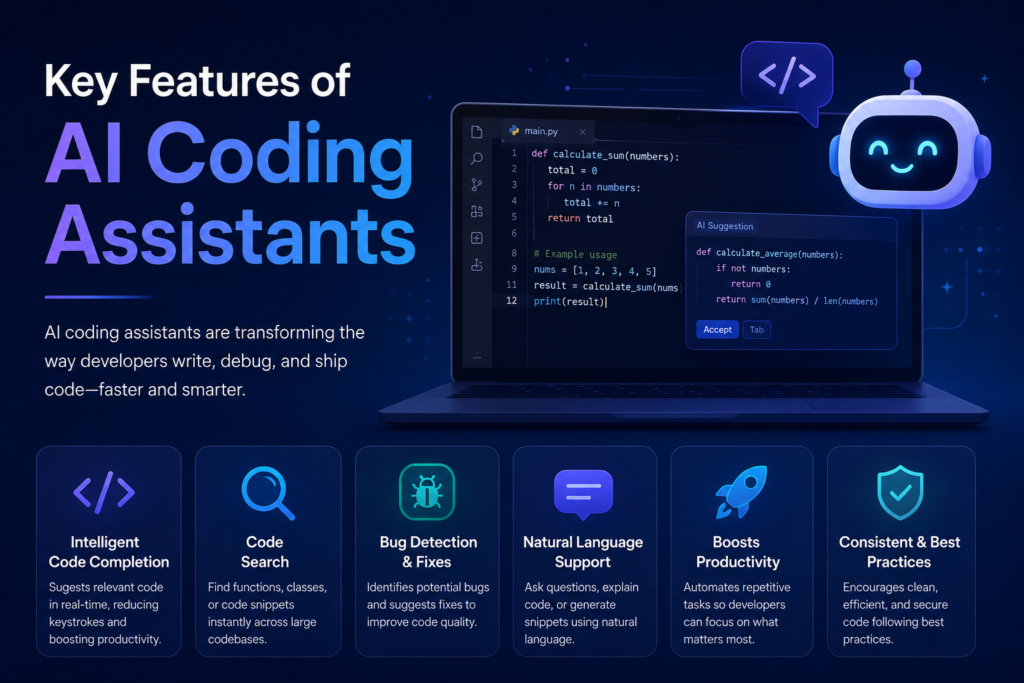
1. Code Autocompletion
Predicts your next line of code instantly.
2. Bug Detection
Identifies errors before runtime.
3. Code Explanation
Breaks down complex functions into simple language.
4. Code Generation
Creates full programs from simple prompts.
5. Refactoring Support
Improves structure and readability of existing code.
Real-World Use Cases
1. Web Development
Build landing pages, APIs, and full-stack apps faster.
2. Mobile App Development
Generate UI components and backend logic.
3. Data Science
Write Python scripts for analysis and machine learning.
4. Debugging Legacy Code
Understand old systems quickly.
5. API Integration
Generate ready-to-use API requests.
Step-by-Step: How to Use AI Coding Assistants
Step 1: Choose Your Tool
Pick based on your skill level and project type.
Step 2: Install or Access
Most tools integrate into IDEs or web platforms.
Step 3: Start Writing Code
Begin typing and let AI suggest completions.
Step 4: Use Natural Language Prompts
Example:
“Create a login system using Node.js and JWT”
Step 5: Review and Test
Always validate AI-generated code before production use.
Best Practices for AI Coding Assistants
- Always review generated code
- Use AI for assistance, not replacement
- Combine AI suggestions with manual logic
- Keep security in mind
- Avoid blindly trusting outputs
Common Mistakes to Avoid
- Copying code without understanding it
- Ignoring security vulnerabilities
- Over-relying on AI suggestions
- Not testing generated code
- Using vague prompts
Pros and Cons of AI Coding Assistants
Pros
- Faster development
- Reduced workload
- Better productivity
- Learning support
- Fewer errors
Cons
- Can generate incorrect code
- Over-dependence risk
- Privacy concerns (some tools)
- Subscription costs for premium features
Pricing Overview
Most ai coding assistants follow a freemium model.
Free Plans
- Basic autocomplete
- Limited requests
- Beginner-friendly access
Paid Plans
- Advanced AI models
- Faster responses
- Team collaboration features
ROI Consideration
Businesses often recover costs quickly due to:
- Faster delivery cycles
- Reduced developer hours
- Improved software quality
Who Should Use AI Coding Assistants?
Ideal Users:
- Software developers
- Freelancers
- Startup founders
- Digital agencies
- Students learning programming
Not Ideal For:
- Non-technical users expecting full automation
- Projects requiring strict offline-only development (unless using local AI tools)
Actionable Tips for Better Results
- Be specific in prompts
- Break complex tasks into steps
- Ask for explanations, not just code
- Combine multiple AI tools
- Keep a personal code review checklist
Final Verdict
AI coding assistants are now essential tools in modern development.
They significantly improve speed, reduce repetitive work, and help developers focus on problem-solving instead of syntax.
However, they are not perfect. Human review is still necessary for quality and security.
Overall recommendation:
Use AI coding assistants as a powerful support system, not a full replacement for programming skills.
Start experimenting with AI coding assistants today. Choose one tool, integrate it into your workflow, and test how much time you can save in your next project.
If you’re building a blog, SaaS, or tech business, this is one of the fastest ways to boost productivity and scale faster.
6. FAQ Section
1. What are AI coding assistants?
They are tools that help developers write, debug, and optimize code using artificial intelligence.
2. Are AI coding assistants good for beginners?
Yes, they help beginners learn faster by providing real-time suggestions and explanations.
3. Do AI coding assistants replace programmers?
No, they support developers but do not replace human logic and decision-making.
4. Which is the best AI coding assistant?
It depends on your needs. GitHub Copilot is great for professionals, while ChatGPT is more flexible.
5. Are AI coding assistants free?
Most tools offer free plans with limited features and paid versions for advanced capabilities.
6. Can AI coding assistants write full apps?
Yes, but human review is required to ensure quality and security.
7. Are AI coding tools safe to use?
Generally yes, but users should avoid sharing sensitive or private code with cloud-based tools.
8. How do AI coding assistants improve productivity?
They reduce repetitive work, speed up debugging, and generate code instantly.